
Flat AI knowledge bases break when they exceed roughly 500 files because the AI can't distinguish high-signal documents from low-signal noise, resulting in context windows stuffed with irrelevant detail and retrieval accuracy dropping below 40%. The information pyramid, a 3-tier architecture of README, Synthesis, and Detail documents, solves this by giving the AI a navigation path from overview to specifics, loading only what's relevant for the current task.
The 500-File Wall
Every team building an AI knowledge base hits the same wall. The timeline is remarkably consistent.
Month 1-3: You add documents. Product specs, meeting notes, competitive intel, process docs, customer research. The AI performs well. It finds what you need. Retrieval feels almost magical.
Month 4-6: The knowledge base grows past 200-300 files. Retrieval gets slower. The AI sometimes pulls the wrong document. You start getting answers that blend information from multiple unrelated sources. You add more documents to compensate.
Month 7-9: Past 500 files, the system degrades noticeably. The AI stuffs its context window with documents that are tangentially related to your query. Answers become verbose and unfocused. Your team starts bypassing the knowledge base and going back to manual search. The knowledge base becomes shelfware.
I've watched this pattern at 4 organizations, including my own. The breaking point varies between 400-700 files depending on document length and topic overlap, but the pattern is consistent. Flat knowledge bases have a scalability ceiling that no amount of better embeddings or retrieval tuning fixes, because the problem isn't retrieval. The problem is structure.
Why Flat Fails
A flat knowledge base treats every document as equal. A 15-page product strategy document and a 2-paragraph meeting note about a bug fix have the same structural status. When the AI searches for "product strategy," it might retrieve the meeting note because it mentions the product name and the word "strategy" in passing.
RAG (Retrieval-Augmented Generation) pipelines try to solve this with embedding similarity. But similarity doesn't encode importance. The meeting note that mentions product strategy in passing has high embedding similarity to a query about product strategy. The AI can't distinguish "this document is about product strategy" from "this document mentions product strategy."
Vector databases with metadata filtering help. You can tag documents with categories, dates, and importance levels. But metadata is manually maintained and decays as the knowledge base grows. By month 6, 30% of your metadata is stale. By month 12, it's approaching 50%. The maintenance burden scales linearly with document count, which means the operational cost of keeping the knowledge base functional grows exactly when its value should be compounding.
The architectural solution isn't better retrieval. It's structural navigation.
The Information Pyramid: Three Tiers
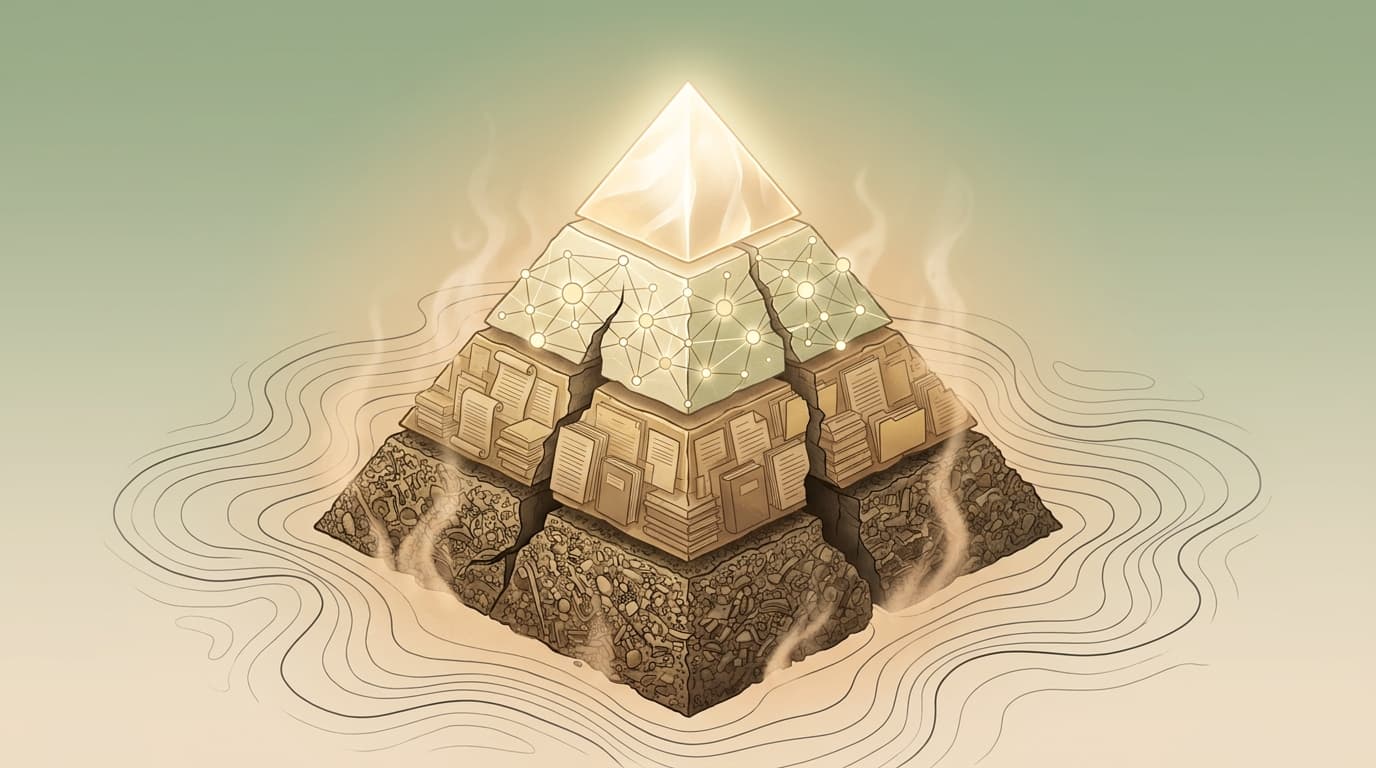
The pyramid has three tiers, and the critical principle is that the AI reads from the top down, going deeper only when the task requires it.
Tier 1: README Documents (Navigate)
Every folder in the knowledge base has a README. The README contains:
- What this folder covers (2-3 sentences)
- What's in each subfolder (one line per subfolder)
- Key documents to read first (3-5 links)
- What does NOT belong here (prevents misfile drift)
The README is the table of contents. When the AI encounters a folder, it reads the README first and decides whether to go deeper. This single behavior eliminates the majority of irrelevant context loading.
In a 4,700-file knowledge base I maintain, the AI reads an average of 3.2 README files per task before reaching the documents it needs. Those 3 READMEs contain roughly 800 tokens total. Without the pyramid, the same task would load 15-20 documents (12,000+ tokens) through flat retrieval, most of them irrelevant.
Tier 2: Synthesis Documents (Understand)
Synthesis documents sit between READMEs and detail files. They aggregate key findings, decisions, and patterns from the detail files below them. A synthesis doc answers: "What do we know about Topic X, and what should I read if I need specifics?"
Examples of synthesis documents:
- ICP Synthesis: Aggregates findings from 14 customer interviews, 8 win/loss analyses, and 3 market research reports into a single document with the current ICP definition and the evidence supporting each element.
- Competitive Landscape Synthesis: Rolls up 6 individual competitor profiles into a comparative view with positioning recommendations.
- Content Strategy Synthesis: Summarizes the editorial calendar, keyword targets, and content performance data into a strategic overview.
The synthesis layer is where compound knowledge lives. Individual detail files contain raw data. Synthesis files contain interpreted, cross-referenced, decision-ready knowledge. When the AI reads a synthesis file, it gets the accumulated intelligence of dozens of detail files in a fraction of the context window.
I update synthesis files on a roughly monthly cadence, or whenever a significant new detail file adds information that changes the synthesized view. The update takes 15-30 minutes per synthesis document because the AI does the cross-referencing and I verify the conclusions.
Tier 3: Detail Documents (Execute)
Detail files are individual documents: research reports, meeting notes, raw data, specific analyses. They're the foundation the pyramid rests on, but they're the last thing the AI reads, and only when the task requires specific evidence or raw data.
In practice, the AI reaches Tier 3 in about 35% of tasks. The other 65% are fully served by Tier 1 and Tier 2. This means the detail files exist as a reference layer, not a primary consumption layer. The architectural implication: detail files can be messy. Meeting notes don't need perfect formatting. Raw research doesn't need editorial polish. The synthesis layer above them is where quality matters.
This permission to have messy detail files is important for adoption. Teams that try to maintain polished quality across every document in a knowledge base burn out. Teams that focus quality effort on Tier 1 and Tier 2, and let Tier 3 be functional, sustain the system long-term.
The "Navigate Before Acting" Principle
The pyramid creates a behavioral rule: Navigate Before Acting. The AI reads the README, then the synthesis doc, then detail files only if needed. It never dives into a detail file without first understanding the folder structure.
This principle, embedded in the CLAUDE.md instruction file, is the architectural equivalent of telling a new employee "read the onboarding doc before asking questions." Simple in concept. Profound in effect.
Without Navigate Before Acting, the AI's default behavior is to search for keywords and load whatever matches. With it, the AI's behavior is to understand the structure, identify the relevant area, read the synthesis, and only then reach for specifics. The difference in output quality is visible from the first session.
How CLAUDE.md Implements This
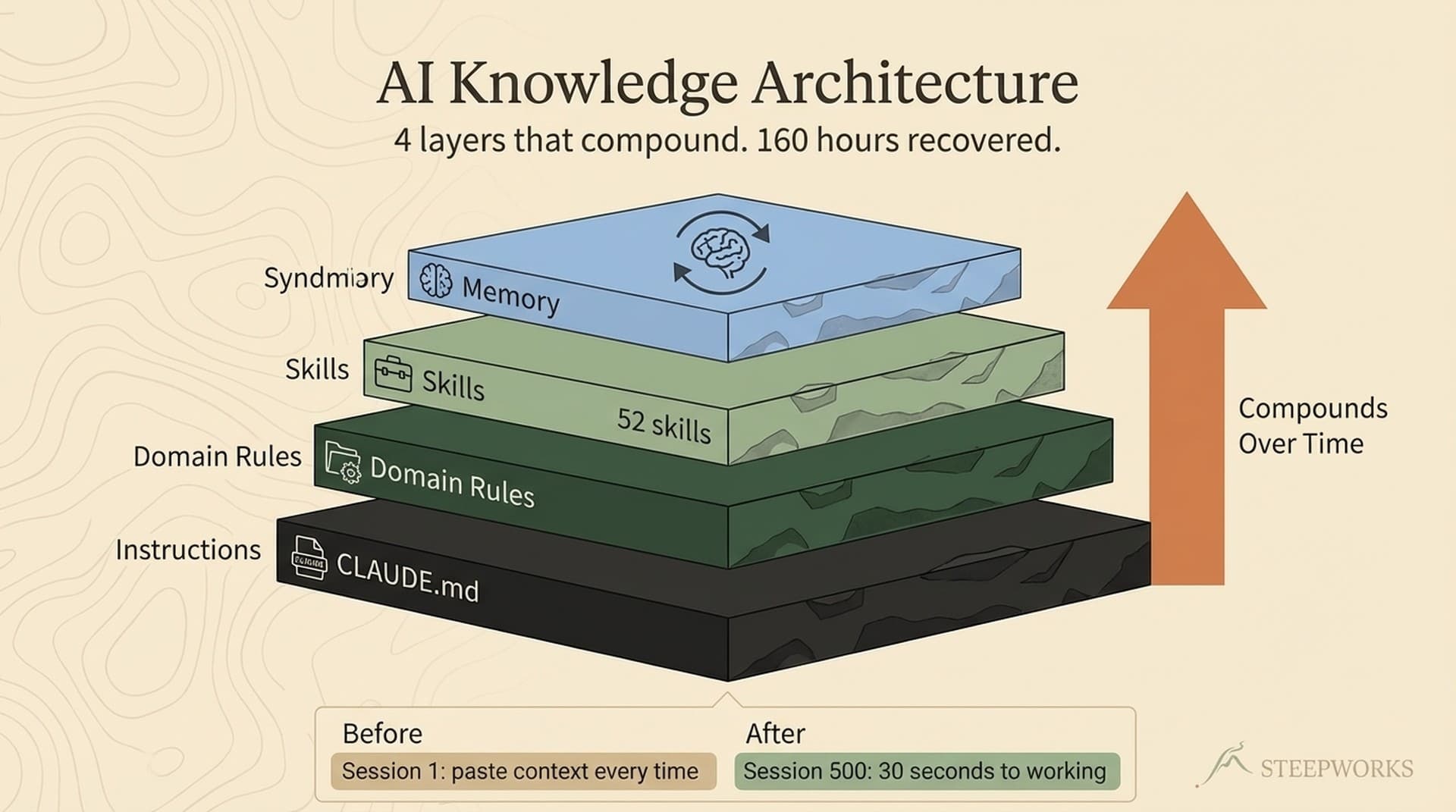
The CLAUDE.md is the kernel of the system. It's the instruction file that loads automatically in every Claude Code session. For the information pyramid, CLAUDE.md contains:
-
The navigation rule: "Read the README, then the synthesis doc, then detail files only if needed. Follow the pyramid: README to Synthesis to Detail. Never dive into files without understanding the folder structure."
-
Folder routing: A map of the top-level folder structure so the AI knows which area of the knowledge base contains which type of information.
-
Workstream routing: When I say "I'm working on competitive intelligence," the CLAUDE.md tells the AI to load the competitive analysis README and synthesis before doing anything else. This eliminates the search step entirely for known workstreams.
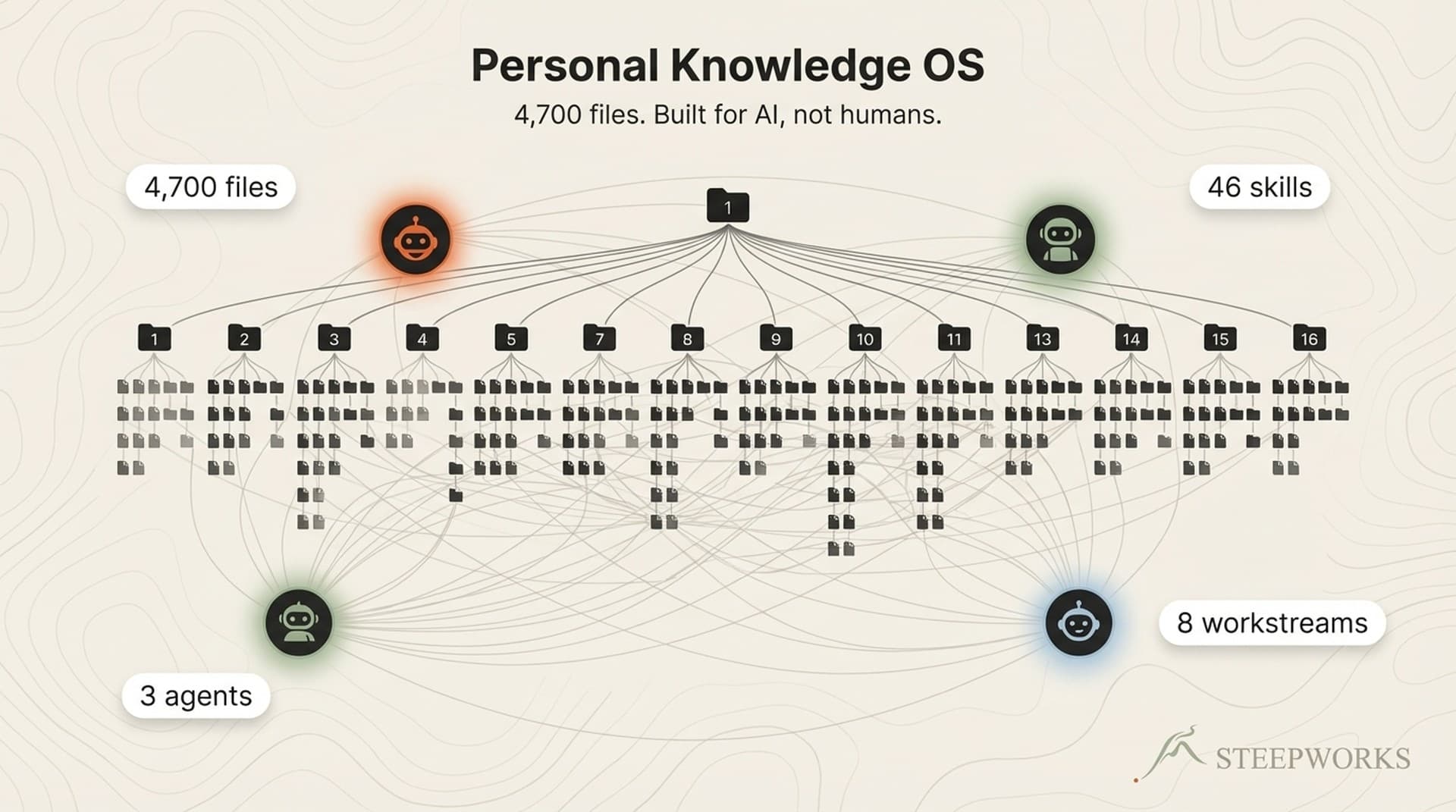
The CLAUDE.md file for a 4,700-file knowledge base is 151 lines. That's it. 151 lines of instruction that make the other 4,699 files navigable. The information density of those 151 lines is higher than any other file in the system because they shape every interaction.
Conditional Rule Loading
The pyramid has a runtime optimization: conditional rules that load only when the AI works in a specific area.
The knowledge base has 8 workstreams: consulting, content, finance, personal, newsletters, spirituality, prototyping, and repository management. Each workstream has domain-specific rules about formatting, validation rigor, confidentiality requirements, and workflow patterns.
Loading all 8 workstream rule sets in every session would consume 40% of the available context window before the AI reads a single document. Instead, rules load conditionally:
When working in 03_finance/ → Load finance rules (confidentiality, precision, source citation)
When working in 14_newsletters/ → Load newsletter rules (brand separation, data pipeline safety)
When working in 01_professional/ → Load consulting rules (client confidentiality, evidence standards)
The AI reads CLAUDE.md (always loaded), identifies which workstream the current task belongs to, and loads only the relevant rules. Eight rule sets become one. The context window savings are substantial.
This pattern maps to a principle from operating system design: the kernel loads universally; drivers load on demand. CLAUDE.md is the kernel. Domain rules are drivers. The information pyramid is the file system architecture. (Knowledge OS guide)
Why RAG Alone Can't Fix This
RAG (Retrieval-Augmented Generation) is the standard approach to AI knowledge bases. Store documents as embeddings, retrieve by similarity, stuff into context. It works well up to a point.
The problems that the pyramid solves and RAG doesn't:
1. Relevance vs. importance. RAG retrieves documents similar to the query. The pyramid routes the AI to documents important to the task. These are different things. A meeting note that mentions "pricing strategy" in passing is similar to a query about pricing strategy. The pricing strategy synthesis document is important to that query. RAG can't reliably distinguish them.
2. Context efficiency. RAG loads full documents. The pyramid loads README (50 tokens) → Synthesis (500 tokens) → Detail (2,000 tokens) on demand. For 65% of tasks that don't need detail files, the pyramid uses 550 tokens where RAG would use 6,000-10,000.
3. Cross-reference intelligence. RAG retrieves individual documents in isolation. Synthesis documents encode cross-references, patterns, and accumulated insights that span multiple detail files. The AI gets compound knowledge instead of raw components.
4. Graceful scaling. RAG retrieval accuracy degrades as document count increases because the embedding space gets crowded. The pyramid's accuracy is independent of total document count because navigation is structural, not search-based. A 500-file pyramid and a 5,000-file pyramid navigate with the same efficiency because the README layer stays constant.
This isn't an argument against RAG. It's an argument for RAG plus structure. Use embeddings for search within a tier. Use the pyramid for navigation between tiers. The combination outperforms either approach alone. (Claude for operators)
The Knowledge Graph Layer
Above the pyramid sits an optional but powerful layer: a knowledge graph that maps relationships between documents.
The graph tracks:
- Which documents reference which other documents. If your ICP synthesis cites 14 customer interviews, those citation relationships are edges in the graph.
- Which concepts appear across multiple documents. If "enterprise pricing" appears in competitive analysis, product strategy, and 3 deal post-mortems, the graph surfaces that connection.
- Staleness. Which documents haven't been updated relative to their dependencies. If a synthesis document's source files have changed since it was last updated, the graph flags it.
I maintain a knowledge graph across 52 skill definitions and 300+ documents. The graph has caught 8 instances of synthesis documents that referenced outdated detail files. Without the graph, those stale references would have produced subtly wrong outputs that looked correct.
The graph is optional for small knowledge bases (under 200 files). It becomes increasingly valuable as the knowledge base scales. The maintenance cost is low because graph updates happen automatically when documents are modified.
Building the Pyramid: Implementation Guide
Step 1: Audit Your Current Structure
Before building, understand what you have. Count your documents. Identify your top-level categories. Note which documents are referenced most frequently and which haven't been touched in 6+ months.
The audit usually reveals that 20-30% of documents are orphaned (never referenced, rarely accessed). Don't archive them yet. The pyramid will naturally surface them in a way that lets you decide what to keep.
Step 2: Create the Folder Hierarchy
Group documents into 5-10 top-level folders by domain. Within each folder, create subfolders for logical groupings. The hierarchy should be 2-3 levels deep maximum. Deeper than 3 levels creates navigation overhead that erodes the pyramid's efficiency.
A typical structure for a GTM knowledge base:
01_professional/    # Consulting, frameworks, principles
02_content/         # Published content, editorial standards
03_finance/         # Revenue data, forecasts (high confidentiality)
04_projects/        # Active long-term projects
06_resources/       # Templates, reusable assets
07_execute/         # Weekly tactical work
Step 3: Write READMEs (Top Down)
Start with the root README that maps the entire knowledge base. Then write a README for each top-level folder. Then subfolders. Each README takes 10-15 minutes to write. For a 6-folder structure with 2-3 subfolders each, budget 3-4 hours total.
The root README is the most important document in your knowledge base. It's the first thing the AI reads in every session. Spend 30 minutes getting it right.
Step 4: Build Synthesis Documents
Identify the 5-8 topics where your team most frequently needs aggregated knowledge. Build a synthesis document for each. This is the most time-intensive step: each synthesis document takes 45-90 minutes because you're cross-referencing multiple detail files and extracting patterns.
Start with the synthesis documents that serve your most common tasks. If your team runs competitive analyses weekly, the competitive landscape synthesis is your first priority. If content production is the primary workflow, the content strategy synthesis comes first.
Step 5: Write the CLAUDE.md
Your CLAUDE.md encodes the navigation rule, the folder map, and the workstream routing. It references the READMEs and synthesis documents by path. It tells the AI how to use the pyramid.
A CLAUDE.md for a knowledge base with 6 top-level folders is roughly 80-120 lines. It's the most important 100 lines in your system.
Step 6: Establish Update Cadences
- READMEs: Update when folder structure changes (quarterly or less)
- Synthesis documents: Update monthly or when significant new detail files arrive
- Detail files: Update as needed (no cadence pressure)
- CLAUDE.md: Update when workstreams or navigation paths change
The total maintenance burden for a mature pyramid is 2-4 hours per month. That's the ongoing cost of a knowledge base that scales without degrading.
Measuring Pyramid Health
Three metrics indicate whether your pyramid is functioning:
1. Context window efficiency. Measure the average number of tokens loaded per task. In a healthy pyramid, this should be 1,500-3,000 tokens. If it's consistently above 5,000, the AI is loading too many detail files and your synthesis layer has gaps.
2. Navigation depth. Track how many tiers the AI traverses per task. Average should be 1.5-2.0. If it's consistently above 2.5, either your synthesis layer is incomplete (forcing the AI to detail files too often) or your CLAUDE.md routing is misdirecting tasks.
3. Answer relevance. Subjectively score whether the AI's outputs address the task directly or wander into tangentially related territory. In flat knowledge bases, wandering increases linearly with document count. In a well-structured pyramid, it stays constant regardless of scale.
I track these monthly. The pyramid reached steady state after about 3 months. Context efficiency plateaued at roughly 2,100 tokens per task. Navigation depth settled at 1.8. Answer relevance, on a 1-5 scale, moved from 3.2 (flat structure) to 4.4 (pyramid) and has stayed there across 500+ sessions as the knowledge base grew from 800 to 4,700 files.
Frequently Asked Questions
How does the information pyramid differ from a traditional wiki or Notion setup?
A wiki organizes information for human navigation. The pyramid organizes information for AI navigation. The key difference is the synthesis layer, which doesn't exist in most wikis. Humans can skim 10 documents and synthesize in their heads. AI agents need the synthesis pre-computed and stored as a document they can read. The README layer is similar to wiki navigation pages, but the conditional rule loading and CLAUDE.md kernel have no wiki equivalent.
Can I retrofit the pyramid onto an existing knowledge base without starting over?
Yes, and most implementations are retrofits. The process is additive: you're adding READMEs and synthesis documents on top of existing detail files. You don't need to restructure the detail layer. The main work is reorganizing top-level folders if your current structure is deeply nested (more than 3 levels) or has significant topic overlap between folders. Budget 2-3 days for a knowledge base under 1,000 files, and a week for larger ones.
What happens when multiple team members update synthesis documents simultaneously?
Synthesis documents should have a single owner responsible for updates. In practice, the AI can draft synthesis updates by scanning recent changes to detail files, but a human should review and approve. The knowledge graph layer catches dependency conflicts when a synthesis document's source files have been updated by different people. This is a coordination problem, not an architectural one, and standard document ownership practices apply.
How does this work with vector databases and RAG pipelines?
The pyramid and RAG are complementary. Use RAG for search within a tier (finding the right detail file when you need one). Use the pyramid for navigation between tiers (deciding whether you need a detail file at all). Most implementations keep their existing RAG pipeline for the detail layer and add the pyramid's README and synthesis layers as a navigation overlay. The CLAUDE.md encodes the navigation preference, so the AI tries pyramid navigation first and falls back to RAG search when the pyramid doesn't have a clear path.
What's the minimum knowledge base size where the pyramid is worth building?
Below 100 files, a flat structure works fine. Between 100-300 files, READMEs alone (the first tier) provide meaningful improvement. Above 300 files, the full pyramid with synthesis documents becomes increasingly important. Above 500 files, the pyramid is essentially required for reliable AI performance. If you're growing toward 500+ files, build the pyramid now while the structure is manageable.
How do I handle confidential documents within the pyramid?
Conditional rule loading handles this naturally. Finance documents load with confidentiality rules that instruct the AI to never expose specific dollar amounts without approval. HR documents load with privacy rules. The key is that confidentiality is enforced at the rule layer, not the document layer. A confidential detail file doesn't need special formatting. The rule that loads when the AI enters that domain enforces the confidentiality behavior.