

Claude Code turns marketing operations from per-session prompting into a persistent system where brand voice, ICP context, and content workflows compound across every session. After building 8 marketing workflows across 3 brands over the past year, I can tell you the setup takes about 2 hours and the payoff is a content production pipeline that produces first drafts at roughly 70% of final quality instead of the usual 30%.
Why Marketing Teams Need a Different Claude Code Setup Than Developers
Most Claude Code tutorials assume you're writing code. The examples are pull requests, test suites, refactoring. Useful if you're an engineer. Irrelevant if you're trying to produce a competitive positioning brief, generate 12 social posts from a single article, or audit your landing page copy for messaging consistency.
Marketing work has different requirements. You need persistent brand voice across every output. You need your ICP definition available in every session without pasting it. You need workflows that chain research into drafts into edits into distribution assets. And you need quality gates that catch the generic AI patterns your audience will spot immediately.
The developer setup optimizes for code quality. The marketing setup optimizes for brand fidelity and content velocity. Same tool, different architecture.
I run three brand newsletters, a thought leadership content engine, and social distribution for STEEPWORKS using Claude Code. The content production pipeline publishes roughly 4x the volume I could produce manually, but the real value isn't speed. It's consistency. Session 200 sounds like session 1 because the voice standards are architectural, not per-prompt.
Step 1: Build Your Marketing CLAUDE.md
The CLAUDE.md file is the instruction set that loads automatically in every Claude Code session. For marketing teams, this file needs four sections that developer setups typically skip.
ICP Block
Your ICP definition goes in the CLAUDE.md, not in a separate document you paste each time. Here's the structure that works:
## ICP Definition
**Primary:** [Title], [Company size/stage], [Industry]
**Top 3 Pains:**
1. [Pain with specificity, not "needs better marketing"]
2. [Pain tied to a buying trigger]
3. [Pain your product uniquely addresses]

**Decision Criteria:**
- [What they evaluate vendors on]
- [What disqualifies a vendor]

**Language they use:** [Actual phrases from sales calls, G2 reviews]
The "language they use" line matters more than it looks. When your AI knows the ICP says "pipeline velocity" instead of "sales acceleration," every output shifts toward the buyer's vocabulary. I pulled our language section from 14 sales call transcripts using the customer call synthesis framework. That took an afternoon. It's paid dividends across hundreds of outputs since.
Voice Standards Block
This is where most marketing CLAUDE.md files fail. They write something like "professional but friendly" and wonder why outputs sound generic.
Effective voice standards use contrastive pairs:
## Voice Standards
| Do | Don't |
|----|-------|
| "Here's what I learned" | "Research suggests" |
| "We tried X. Here's what broke." | "Organizations should consider" |
| Real examples with numbers | Vague claims about "improved results" |
| Name the dominant tool in the category | Generic "leading platforms" |
I maintain 23 contrastive pairs in our voice standards file. That sounds excessive until you see the difference. Without them, Claude produces competent but anonymous content. With them, output has the specific cadence and vocabulary that readers associate with the brand. The file took 90 minutes to build from existing published content. I fed our best 10 articles into Claude and asked it to extract voice patterns, then manually edited the results.
Banned Patterns Block
This is the anti-slop layer. Every marketing team should maintain a banned patterns list:
## Banned Patterns (Anti-Slop)
- Never use: unlock, empower, game-changing, streamline, revolutionize, leverage
- Never start paragraphs with "In today's..." or "In the rapidly evolving..."
- Never use more than 2 em-dashes per article
- Never write "best practices." Say what specifically works.
- Never enumerate consequences defensively: "(a) X, or (b) Y"
- No pre-announcements: "Here's the answer in two parts"
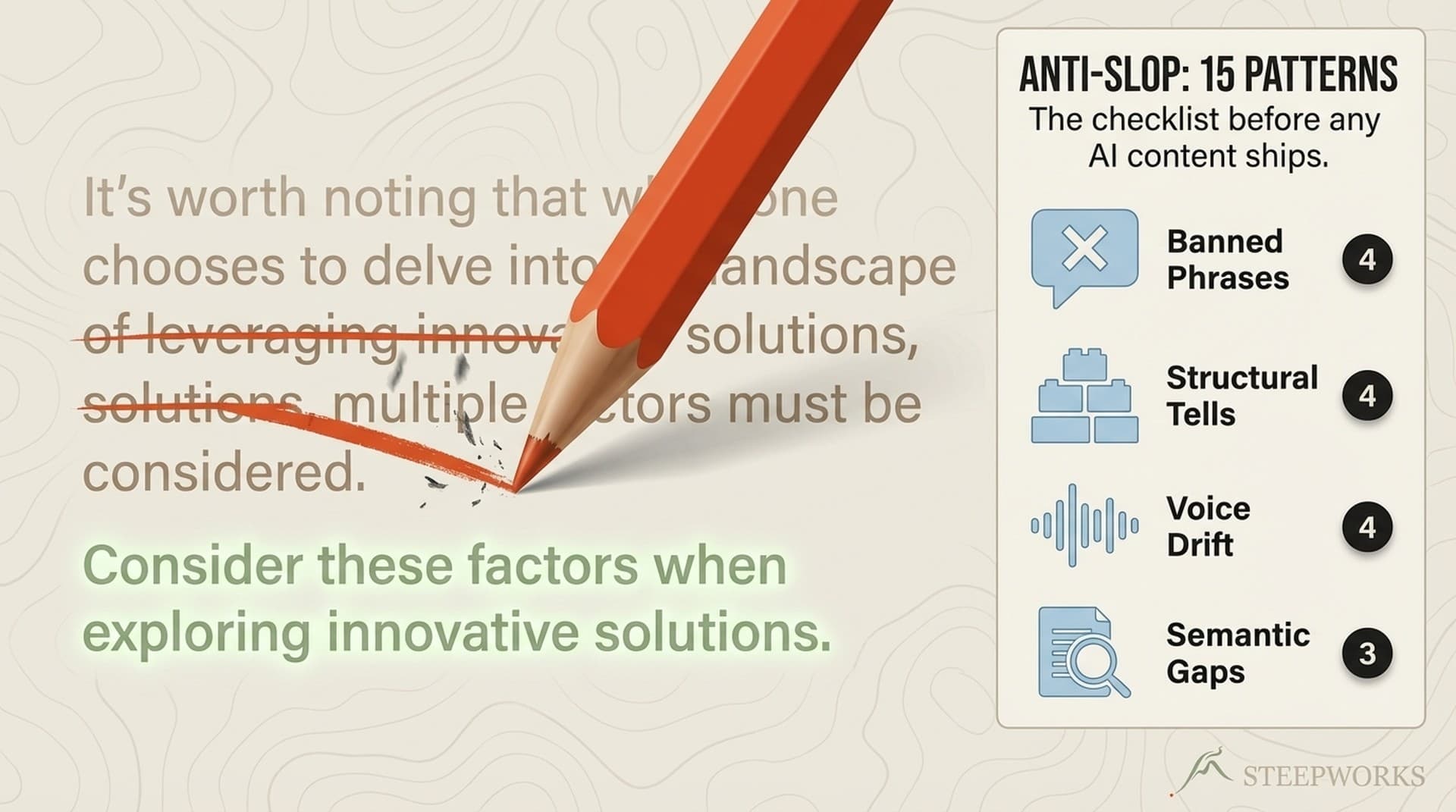
I track 15 anti-slop patterns across our system. The list started at 5 and grew every time I caught a pattern in a draft that I'd seen in generic AI content. Each pattern you add permanently improves every future output. That's the compounding effect of architectural decisions over per-session prompting.
Workstream Routing Block
If your marketing team works across multiple campaigns, products, or brands, add workstream routing:
## Workstream Routing
- "product launch content" → Load product-launch-brief.md + messaging-matrix.md
- "blog content" → Load blog-editorial-calendar.md + seo-keywords.md
- "social distribution" → Load social-playbook.md + platform-voice-variants.md
This means you can say "I'm working on product launch content" and Claude loads the relevant context automatically. No pasting. No searching. The context is structural.
Step 2: Build the Content Production Skill Chain
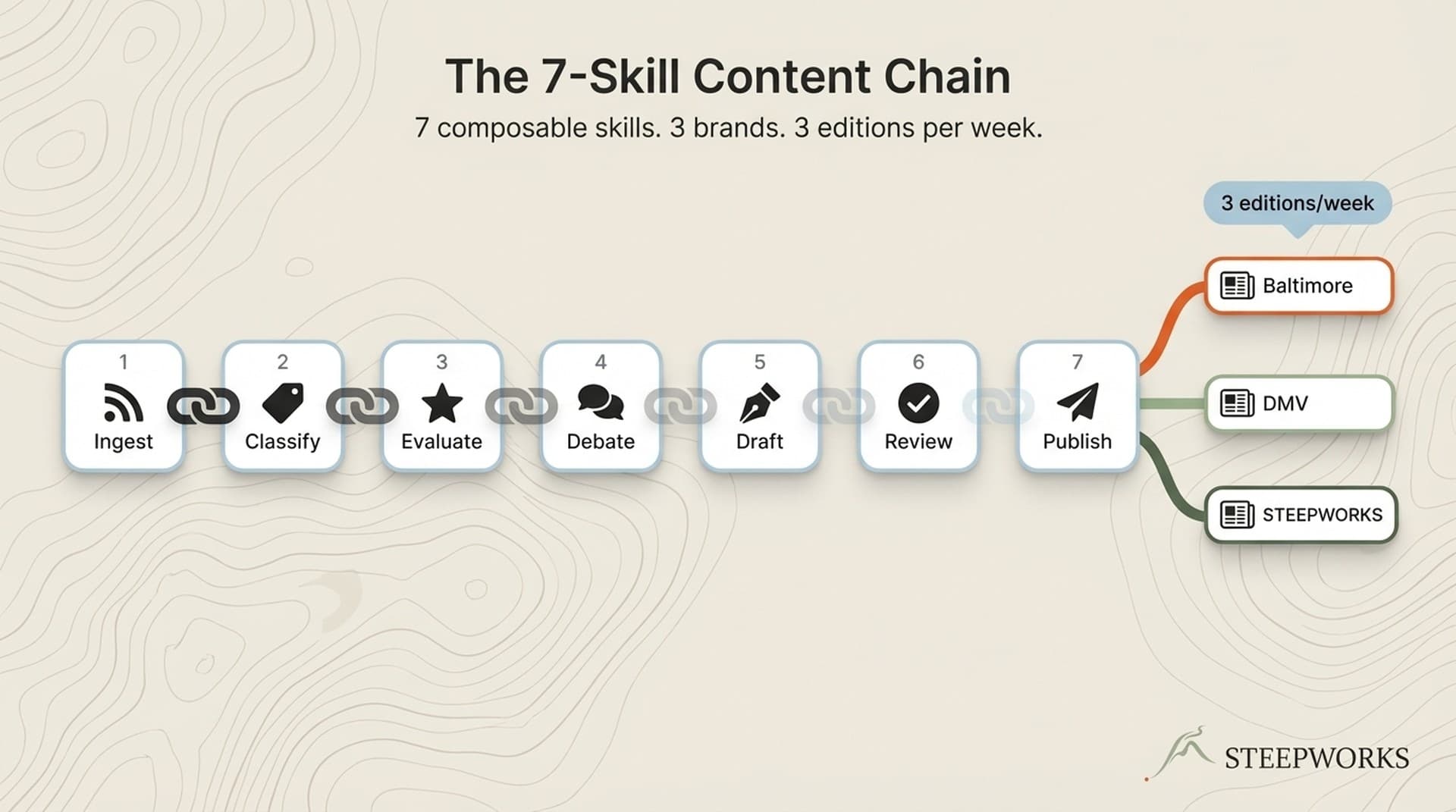
A skill chain is a sequence of Claude Code skills where each skill's output feeds the next. For marketing content, the core chain is three skills:
produce-content → edit-content → social-post-generator
Skill 1: produce-content
This skill generates first drafts from a brief. The brief includes the topic, target keyword, ICP pain point being addressed, and any source material. The skill reads your CLAUDE.md voice standards and produces a draft that's already in your brand voice.
The critical configuration: set the skill to read your voice standards file and your banned patterns list before generating. Without this, it produces generic content and you spend 45 minutes editing voice. With it, voice editing drops to 10-15 minutes.
First drafts from a properly configured produce-content skill hit about 70% of final quality. The remaining 30% is structural editing, fact-checking, and the specific operator details that only a human with domain experience can add. That 70% baseline saves roughly 2 hours per article compared to starting from a blank ChatGPT prompt.
Skill 2: edit-content
The edit-content skill applies editorial standards to the draft. This is where quality gates live. The skill checks:
- Voice consistency against your standards file
- Anti-slop pattern violations
- H2/H3 hierarchy and readability
- Claim specificity (flags vague assertions without evidence)
- Link density and internal linking opportunities
I run this skill twice on every piece. First pass catches structural issues. Second pass catches voice drift that the structural edit introduced. The two-pass approach adds 15 minutes but catches problems that would take longer to find in manual review.
Skill 3: social-post-generator
The social-post-generator skill takes a finished article and produces platform-specific distribution assets. LinkedIn posts, Twitter threads, newsletter excerpts. Each variant respects platform-specific voice adjustments while maintaining brand consistency.
The chain produces a finished article and 4-6 social posts from a single brief in roughly 90 minutes of elapsed time, including human review between skills. Manual equivalent: 6-8 hours.
Connecting the Chain
The skill chain runs sequentially. You trigger produce-content with your brief, review and approve the draft, trigger edit-content on the draft, review the edits, then trigger social-post-generator on the final article. (professional Claude Code implementation)
You can also run the chain in a single prompt: "Run the content production pipeline on this brief." The content production pipeline workflow orchestrates the three skills with review checkpoints between each.
Step 3: Brand Voice Enforcement That Actually Works
Generic AI brand voice advice says "describe your brand personality." That produces outputs that sound like every other AI output with slightly different adjective choices.
What actually works is structural enforcement at three levels. (free setup guide)
Level 1: Instruction-Level (CLAUDE.md)
Your voice standards in CLAUDE.md apply to every session. This catches gross violations. If your voice is conversational and the output starts with "Organizations implementing strategic initiatives," the instruction layer catches it.
Level 2: Skill-Level (per-workflow)
Each skill can have additional voice calibration specific to its output type. Your social post skill enforces shorter sentences and more direct address than your long-form content skill. Your email skill enforces a different formality register than your blog skill.
The brand voice calibration workflow walks through setting up per-skill voice variants. The key insight: you're not creating different voices. You're creating different registers of the same voice, the way you naturally adjust tone between a keynote and a Slack message.
Level 3: Edit-Level (quality gate)
The edit-content skill runs voice consistency checks against your standards file and flags deviations. This is the catch-all. Anything the instruction and skill layers missed gets flagged here with specific line references and suggested alternatives.
In practice, Level 1 handles about 80% of voice enforcement. Level 2 handles 15%. Level 3 catches the remaining 5% that slips through. The three levels together produce voice consistency that manual editing alone rarely achieves, because humans get tired and miss patterns that rules-based checks catch reliably.
Step 4: Content Calendar Automation
Content calendars in spreadsheets are where content strategy goes to die. They're updated enthusiastically for two weeks and then abandoned. The marketing team I know with the best content consistency doesn't use a spreadsheet. They use a system.
Here's what content calendar automation looks like in Claude Code:
Planning: A skill that takes your quarterly content themes, SEO keyword targets, and pipeline gaps, then generates a month of content briefs with target dates, primary keywords, and ICP pain points addressed.
Tracking: Each brief lives as a file with a status field (planned, drafted, edited, published). A weekly review skill scans all briefs and reports what's on track, what's overdue, and what's missing from your keyword coverage.
Gap analysis: Monthly, a skill cross-references published content against your target keyword list and ICP pain points. It identifies gaps where you have search intent but no content, and generates briefs to fill them.
The keyword coverage gap analysis caught 3 topics last quarter that we'd planned but never produced. Each one had search volume between 200-500 monthly queries with low competition. We published all three within two weeks of the gap report. Two of them rank on page one.
Step 5: Campaign Analytics Integration
Claude Code can read structured data files. If your analytics tool exports to CSV or JSON, Claude Code can analyze it.
The practical workflow: export campaign performance data weekly. Drop the CSV in a designated folder. A skill reads the data, cross-references it against your content briefs, and produces a performance summary that maps content pieces to pipeline metrics.
This isn't replacing your analytics platform. It's connecting content performance to pipeline outcomes in a way that most analytics tools don't do natively. "Blog post X generated Y visitors" is what Google Analytics tells you. "Blog post X generated Y visitors, Z of whom matched your ICP profile, and 3 are now in pipeline" is what the integration tells you.
Three numbers that changed how I think about content ROI after building this integration:
- 62% of our pipeline-sourced content was from 4 articles out of 47 published. Pareto distribution was steeper than expected.
- Average time from first content touch to pipeline entry was 23 days. Not the same-session attribution that most dashboards show.
- Content that directly addressed a specific ICP pain point converted at 3.4x the rate of general thought leadership. Specificity wins.
None of these insights were visible in standard analytics. They required cross-referencing content metadata (which ICP pain point, which keyword cluster) with CRM pipeline data. Claude Code made the cross-reference trivial because both data sets live in files it can read.
Step 6: The Anti-Slop Quality System
AI-generated marketing content has a specific failure mode: it's technically competent and substantively empty. The grammar is perfect. The structure is sound. And a reader who's seen 50 AI-generated articles this month will recognize it instantly and bounce.
Anti-slop is the practice of systematically identifying and eliminating these patterns. It's not a single rule. It's a detection system that improves over time.
Building Your Anti-Slop Registry
Start with 5 patterns you've noticed in generic AI content. For marketing teams, these are reliable starting points:
- The hedge sandwich. "While X has its challenges, it also presents significant opportunities." Says nothing. Cut it.
- The false enumeration. Listing 3-5 benefits when 1-2 are substantive and the rest are padding. Keep only what you'd say in a live presentation.
- The authority appeal. "Industry leaders are increasingly adopting..." Which leaders? What specifically? Replace with a named example or delete.
- The implications list. "This has implications for marketing strategy, team structure, and budget allocation." Either explain the implications specifically or don't mention them.
- The transitional filler. "With that in mind, let's explore..." Just start the next section. The reader doesn't need a tour guide.
Add to the registry every time you catch a new pattern during editing. After 3 months, my registry grew from 5 to 15 patterns. Each addition permanently improves every future output because the edit-content skill checks against the full registry.
Measuring Anti-Slop Effectiveness
Track two metrics: edit time per article and reader engagement proxies (time on page, scroll depth if available). After implementing our anti-slop system, average edit time dropped from 55 minutes to 25 minutes per article, and average time on page increased by 18%. The content wasn't just faster to produce. It was better.
Common Setup Mistakes
Mistake 1: Copying someone else's CLAUDE.md. Your CLAUDE.md needs to reflect YOUR brand, YOUR ICP, YOUR voice. Starting from a template is fine. Keeping someone else's specifics is a voice consistency disaster.
Mistake 2: Skipping the edit skill. Produce-content generates good first drafts. Good first drafts are not publishable content. The edit skill is where quality happens. Skipping it to save time costs more time in manual editing.
Mistake 3: Not maintaining the anti-slop registry. The registry degrades if you stop adding to it. New AI patterns emerge. New cliches form. Budget 10 minutes per week to review recent outputs and flag patterns you'd like to eliminate.
Mistake 4: Trying to automate judgment. The skill chain produces drafts and applies rules. The human adds operator insight, real-world examples, specific numbers from actual experience, and the editorial judgment that separates adequate content from content worth reading. Automating production frees time for judgment. It doesn't replace it.
What This Looks Like in Practice
A typical content production morning in our system:
8:00 AM. Review content calendar. Three pieces due this week. Briefs already generated from the quarterly plan.
8:15 AM. Trigger produce-content on Brief 1. While it generates, review yesterday's social post performance in the analytics dashboard.
8:30 AM. First draft ready. Read through, add two operator-specific examples from real work, flag one section that needs a statistic I'll look up later.
8:45 AM. Trigger edit-content. It catches 3 anti-slop violations, suggests tightening the intro, flags one voice deviation in section 3.
9:00 AM. Apply edits, add the missing statistic, final read-through.
9:15 AM. Trigger social-post-generator. Produces LinkedIn post, 2 tweet-length excerpts, newsletter teaser.
9:30 AM. Review social posts, approve 3 of 4, edit the fourth for platform-specific tone.
9:45 AM. Article 1 complete. Start Brief 2.
One article from brief to publish-ready in 105 minutes, including social distribution assets. The manual equivalent was 5-6 hours. That's not because the AI writes faster. It's because the system eliminates the context-loading, voice-establishing, and format-remembering that consumed most of the manual time.
Frequently Asked Questions
How long does the initial marketing CLAUDE.md setup take?
Budget 2-3 hours for a thorough setup. The ICP block takes 30 minutes if you have existing documentation to draw from. Voice standards take 60-90 minutes if you're extracting patterns from published content. The banned patterns list starts small and grows over time. Most teams have a working CLAUDE.md after one focused session.
Can I use this setup with a marketing team that uses ChatGPT today?
Yes, and most of our onboarding clients come from ChatGPT. The transition point is usually when team members realize they're re-explaining brand context every session. Claude Code's persistent context through CLAUDE.md eliminates that repetition. The skill chain adds workflow structure that ChatGPT's project-per-silo model can't replicate across content types.
How does this compare to marketing AI tools like Jasper or Writer?
Jasper and Writer are purpose-built for content generation with brand voice features. They work well for teams that want a polished GUI and don't need to connect content production to CRM data, research workflows, or custom analytics. Claude Code is more flexible but less polished. You get file system access, custom skill chains, and integration with any data source on your machine. The tradeoff is setup time. If your needs are purely content generation, a purpose-built tool may be simpler. If you need content production connected to research, analytics, and distribution in one system, Claude Code's flexibility matters.
What's the minimum team size where this setup pays off?
A solo marketer gets value from the CLAUDE.md and a basic produce-content skill. The full skill chain and analytics integration start paying off at 2-3 people producing content regularly. The ROI inflection point is when you have enough content volume that voice consistency becomes hard to maintain manually, which is typically 4+ pieces per week across the team.
How do I measure whether the setup is working?
Three metrics: content production velocity (pieces per week per person), edit time per piece (should decrease as the system compounds), and voice consistency scores from the edit-content skill (should increase and then plateau at a high level). Secondary metrics: time on page and engagement rates for published content, which reflect whether the anti-slop system is producing content readers actually want to read.
Does this work for regulated industries where marketing copy needs compliance review?
Yes, with an additional skill in the chain. Insert a compliance-check skill between edit-content and social-post-generator. The compliance skill checks against your specific regulatory requirements (FINRA, HIPAA, FDA, etc.) and flags language that needs legal review. This doesn't replace your compliance team. It catches 80% of issues before the content reaches them, which means their review is faster and your publication timeline shortens.